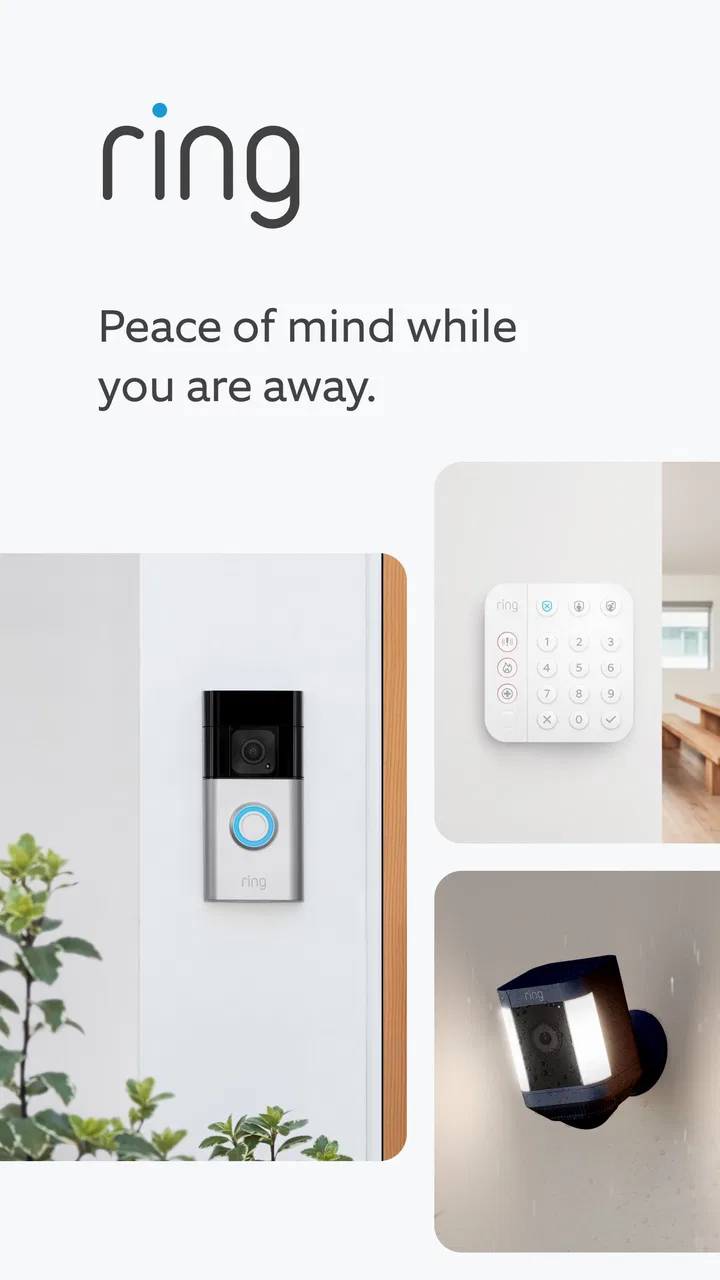
Ring - Always Home
- 4.6
- Rating
- 10.00M
- Installs
- Free
- Price

 Analysis by App-foxy
When I first opened Ring, I understood its appeal almost immediately: it is built around the simple question of who is at home, at the door, or near a Ring-connected device when I am somewhere else. That makes it a lifestyle app with a very practical purpose rather than something I browse for entertainment. The developer is Ring.com, the app is free, and its age rating is Everyone, so the starting point feels approachable for households with different levels of technical confidence.
My honest view is that Ring works best when you already use compatible Ring hardware and want one place to check activity, respond to visitors, and stay aware of what is happening around your home. It is not a replacement for every smart-home platform, and it does not make a camera or doorbell useful by itself. Its value comes from connecting the app to the devices you actually have, then turning a distant alert into a quick decision: answer, check, wait, or ignore.
What to expect before you begin
The first thing to understand is the role of the app. Ring is not primarily a general home-automation dashboard where I can control every brand of light, thermostat, or appliance. I approach it as a companion for Ring’s home-security products and related activity. That distinction matters because a person looking for broad smart-home control may prefer a platform designed around many manufacturers, while someone who wants to see who is at the door will find Ring’s focus much more useful.
You May Also Like

 Blood Strike: 2.5 Anniversary
Blood Strike’s Loadouts Turn Every Drop Into a Tactical Gamble
A close look at Blood Strike’s custom loadouts: how fast access to signature weapons reshapes its battle royale rhythm, rewards preparation, and narrows the gap between fights.

 Pandora - Music & Podcasts
Pandora’s Music Is Easy to Start, but Harder to Recover
Pandora’s strength is its low-effort path from a seed to a station. Its weak spot is how much confidence it asks you to place in connection, setup, and quiet recovery.

 8 Ball Pool
 Is Built on Rivalries, Rematches, and Routine
A close look at the rivalries, rematches, shared routines, and unanswered safety questions that turn a quick pool match into a persistent mobile community.

 Samsung Music
’s Quiet Strength Is Playing What You Already Own
Its reach comes less from spectacle than from dependable access to a personal library. That simplicity is both the app’s strongest retention engine and its ceiling.

 AccuWeather: Weather Radar
AccuWeather Review: A Quick, Clear Forecast for Everyday Decisions
For everyday plans, the best forecast is the one you can understand quickly. AccuWeather makes rain timing, radar, and local conditions easy to act on, with a few trade-offs.

 Hill Climb Racing
Why Hill Climb Racing Still Turns Crashes Into One More Run
A tiny car, a bumpy hill and one more upgrade: Hill Climb Racing keeps resurfacing because its simple chaos makes every near-miss feel personal.
More From Our News Desk



The store summary describes the central idea clearly, but the everyday experience is more specific. The app brings remote awareness into moments that would otherwise interrupt me. If I am cooking, working in another room, walking the dog, or away from home, I can use the phone as the place where a doorbell event or other Ring activity reaches me. The best part is not simply seeing a notification; it is being able to decide what deserves my attention without physically checking the door.
Ring has been available since November 18, 2014, and its maturity shows in how familiar the basic workflow feels. It has a 4.6 average from around 461 thousand ratings, with more than 81 thousand written reviews, and it has passed over 10 million installs. Those figures suggest a large user base, but they do not remove the need to think about your own setup. A popular app can still be the wrong choice if your home does not use Ring equipment or if you want a single control center for devices from several ecosystems.
On Android, the current version is 3.93.1 and the minimum operating-system requirement is version 9. That makes it accessible to many existing phones, although I would still keep the device software reasonably current. A security-focused app is part of a larger chain: the phone, its notifications, the home network, the Ring hardware, and the account all need to work together. If one link is inconvenient, the experience can feel less immediate than the app’s purpose suggests.
Who gets the most from it
I would recommend Ring first to someone who wants a straightforward way to stay connected to a Ring doorbell or camera. It is especially helpful for people who receive deliveries, live in a busy building, care for children or pets, or spend long periods away from home. It can also be reassuring for a household where more than one person needs awareness of arrivals, although I would decide carefully who should have account access and what each person actually needs to see.
The app is less compelling for someone who has no Ring hardware, wants local-only monitoring, or expects every feature to work without an internet connection. I would also hesitate to suggest it as the sole answer for a person seeking a complete professional security service. The app can help me respond to activity, but it does not turn a phone into a full security operation. That difference is important: remote visibility is useful, but it is not the same as guaranteed emergency response.
Setting it up without making the first day harder
My advice is to begin with a clear goal instead of trying to explore every screen. Decide whether your first meaningful result is receiving a doorbell alert, checking a live view, or responding to someone at the entrance. That single goal gives the setup a sensible order. Install the app, sign in or create the required Ring account, and follow the in-app process for connecting your compatible device. I would keep the phone close to the device during this stage and avoid rushing through any account or notification choices.
The most important early decision is notification behavior. A security alert that arrives too late is not useful, but an app that interrupts me constantly can lead to alert fatigue. I would begin with the events that matter most, then adjust after a day or two of normal use. If several people in the home receive every alert, agree on who usually responds. Otherwise, two people may answer at once, or both may assume the other person handled it.
Another practical tip is to test the complete route rather than stopping when the device appears connected. Trigger a normal event, wait for the phone notification, open the alert, and confirm that the screen gives you the information you expected. This catches simple problems early, such as notifications being silenced by the phone, the wrong Ring device being selected, or a family member expecting alerts on an account that has not been configured for that role.
I also recommend doing the first test when you are not in a hurry. If a delivery is already waiting or a visitor is standing outside, troubleshooting becomes stressful. A calm test lets me learn where the live view, event history, and response controls appear. The exact layout can change with app updates, but the principle remains useful: understand the path from alert to action before relying on it during a busy moment.
The first successful action
For me, the first real success is not merely opening the app. It is receiving an expected event and making a useful choice from it. Imagine that I am upstairs with headphones on while a courier arrives. The phone alerts me, I open Ring, identify the event, and decide whether I need to respond. If I can complete that sequence without guessing, the app has already earned a place in my routine.
When answering a visitor remotely, I would keep the conversation short and purposeful. I might explain that I am not available at the door, ask the person to wait, or tell a delivery worker where to leave something if that is appropriate for my situation. I would avoid sharing personal details simply because the interaction happens through a security app. The convenience of remote communication should not make me less careful about what I reveal.
A useful workflow is to treat alerts in three levels. An expected arrival can be checked quickly. An unfamiliar event deserves a closer look before I respond. A repeated or concerning pattern should not be handled casually through a chat alone. In that last situation, I would use my normal household safety plan and contact the appropriate local help if necessary. Ring can provide awareness, but it should support sensible judgment rather than replace it.
I find the event history particularly useful for reviewing what happened after the moment has passed. Instead of relying on memory, I can look back at activity and compare it with my routine. This can reveal practical patterns: a pet moving near a monitored area, a neighbor passing by, or deliveries arriving at a time when notifications are inconvenient. The insight is not just “more alerts”; it is learning which activity deserves attention and which settings may need refinement.
Confusions that can make the app feel unreliable
The most common misunderstanding is expecting the app to do something that belongs to the hardware or the wider Ring setup. If I install the app without a compatible Ring device, there is no meaningful home view to monitor. Likewise, if a device is offline or the phone is not receiving notifications, the app may appear unhelpful even though the underlying issue is outside the screen I am looking at.
Another source of confusion is the difference between an alert and a live conversation. An alert tells me that an event needs attention; it does not mean I must respond every time. I prefer to open the notification, inspect the context, and then choose an action. That habit reduces unnecessary interruptions and helps me avoid treating every movement as an emergency.
People can also assume that a notification will always arrive at the exact moment an event occurs. In real use, phones manage background activity, networks vary, and devices may not communicate instantly. I would never use the app as the only safeguard for a child, an elderly person, a pet, or a critical emergency. It is a helpful layer of awareness, not a promise that a phone alert will replace direct supervision.
Privacy is another area where a little planning improves the experience. Before sharing access with relatives, roommates, or caregivers, I would discuss which areas and events are appropriate for them to view. A shared home does not automatically mean everyone needs identical visibility. Keeping access limited to the people who genuinely need it is a sensible trade-off between convenience and personal privacy.
There is also a psychological trade-off. Seeing more activity can make me feel informed, but constantly checking the app can make home life feel monitored rather than comfortable. I would use the app to answer practical questions, not to stare at a timeline throughout the day. If alerts become background noise, the right response is to review the notification choices and household routines rather than simply accepting every interruption.
How it compares with ordinary alternatives
The simplest alternative is a traditional door viewer, intercom, or physical check at the entrance. Those options are immediate when I am home and do not depend on opening a phone. Ring becomes more useful when I am in another room, away from the property, or unable to reach the door quickly. The trade-off is that the app adds accounts, notifications, device connectivity, and another layer of digital maintenance.
A phone’s built-in camera or a basic video-chat app is also not a direct substitute. Those tools can show me a person when I deliberately start a call, but Ring is organized around home events and the devices watching for them. That event-based design is the reason I would choose it for a connected doorbell or camera. If I simply need occasional video communication with family, a standard calling app may be less complicated.
Broad smart-home platforms can be better for households that want lights, locks, thermostats, sensors, and cameras in one place, especially when those products come from different manufacturers. Ring’s narrower focus can feel cleaner when my priority is the entrance and Ring equipment. I would choose the broader platform only if unified control matters more to me than staying within a focused security ecosystem.
Small habits that make the experience better
First, I would create a test routine after installation and repeat it whenever I change phones, notification settings, or home network equipment. A quick event, alert, and response check is more reliable than assuming everything still works because the app opens normally.
Second, I would separate “I saw the alert” from “I resolved the situation.” After checking an event, I would make a deliberate choice: respond, wait, review it later, or handle it through another safety step. This prevents the common mistake of dismissing a notification and then forgetting why it mattered.
Third, I would use the app as a record of patterns rather than only as a door-answering tool. Reviewing repeated activity can help me decide whether the device is positioned sensibly, whether certain alerts are unnecessary, and whether my household needs a clearer response plan. That is a more valuable long-term use than reacting to every individual notification in isolation.
Finally, I would explain the workflow to anyone else who relies on it. A family member should know how to recognize a genuine event, where to find the relevant screen, and when not to engage. This short conversation can prevent duplicated responses and makes the app more useful for the whole household without giving everyone unlimited access by default.
My recommendation after using it
Ring is a focused lifestyle app that makes the most sense as the phone-based companion to Ring home devices. I like the direct path from an event to a decision, and I think first-time users can get comfortable quickly if they test notifications and set expectations before depending on them. The free price and Everyone rating make it easy to try, while the large install base and strong average rating show that many people find the basic idea worthwhile.
Still, I would not install it simply because remote home monitoring sounds appealing. Without compatible hardware, its purpose is limited, and even with hardware it requires sensible notification habits, account care, and realistic expectations about connectivity. People seeking a multi-brand smart-home center or a complete emergency-security service may be better served elsewhere.
For a first-time user, my suggested next step is simple: connect the device, trigger one ordinary event, confirm the alert reaches the right phone, and practice the response you would actually use. Once that works, adjust the experience around your household instead of chasing every available setting. In my experience, the strongest reason to keep Ring installed is not constant surveillance, but confident awareness at the moments when being physically at the door is not possible.
That makes it a good recommendation for Ring owners who want practical remote contact and a clearer view of activity around home. I would describe it to a friend as useful, focused, and reassuring when configured thoughtfully, but not magical. Its success depends on matching the app to the right hardware, the right people, and the right expectations.
FAQs for Ring - Always Home
01What is the primary purpose of the Ring - Always Home app?
The Ring - Always Home app is designed to provide users with a comprehensive home security solution. It allows you to monitor and manage your Ring devices, such as doorbells and security cameras, from your smartphone. The app offers real-time notifications, live video feeds, and the ability to communicate with visitors, ensuring your home is always protected.
02Is the Ring - Always Home app compatible with all Ring devices?
Yes, the Ring - Always Home app is compatible with all Ring devices, including doorbells, cameras, and alarms. The app is continually updated to support new devices and features, ensuring seamless integration and functionality across your entire Ring ecosystem. Always check for the latest updates to enhance compatibility and performance.
03What are the key features of the Ring - Always Home app?
The app offers several key features, including real-time alerts, live video streaming, two-way audio communication, and customizable motion detection settings. Additionally, it provides integration with other smart home devices and services, such as Alexa, for an enhanced security experience. Users can review recorded footage with a Ring Protect subscription.
04Is a subscription required to use the Ring - Always Home app?
While the app itself is free, certain advanced features require a Ring Protect subscription. This includes access to recorded video footage, extended warranties, and professional monitoring. However, basic functionalities like live video and alerts are available without a subscription, allowing you to get started with essential home security features.
05How secure is the Ring - Always Home app?
Security is a top priority for the Ring - Always Home app. It uses end-to-end encryption to protect your videos and data. Additionally, the app supports two-factor authentication, adding an extra layer of security to your account. Regular updates and security patches are released to address any potential vulnerabilities, ensuring your information remains safe.
Pros
- User-friendly interface for easy navigation.
- High-quality video streaming and audio clarity.
- Customizable motion detection alerts.
- Integration with smart home devices.
- Cloud storage for video clips.
Cons
- Subscription required for full features.
- Occasional connectivity issues.
- High battery consumption on mobile.
- Limited offline functionality.
- Privacy concerns with data storage.

Ring - Always Home
Gallery